
By Varun Menon
Hate to see your new mobile showing unknown pictures? Maybe a blast of product placement you never need, or a celebrity or influencer you don’t even know posing! Here’s a quick solution, aimed at people with Redmi OS.
Step 01
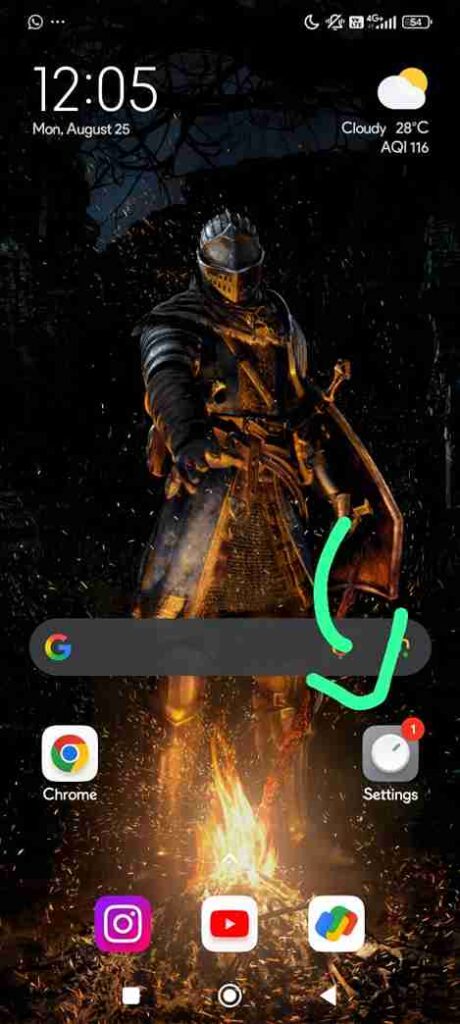
Go to your phone settings, as marked by the arrow.
Step 2
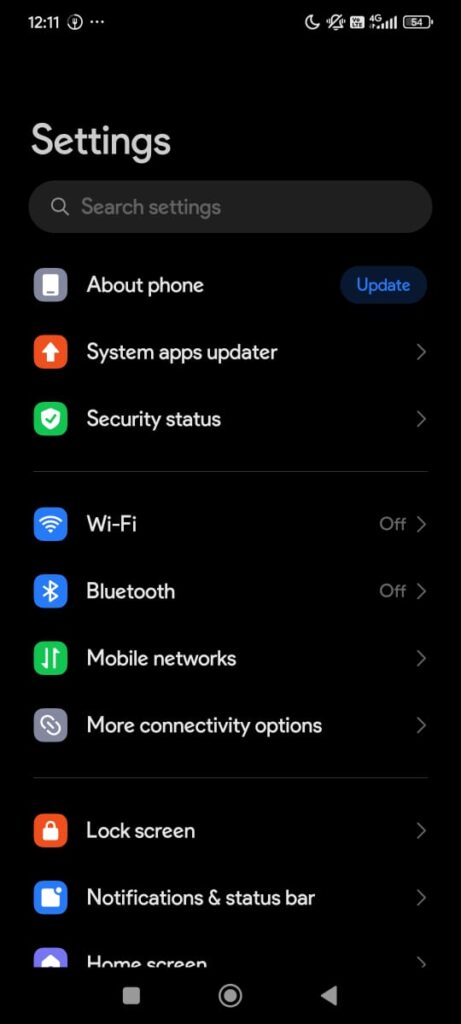
In the search bar, look for wallpaper carousel.
Step 3
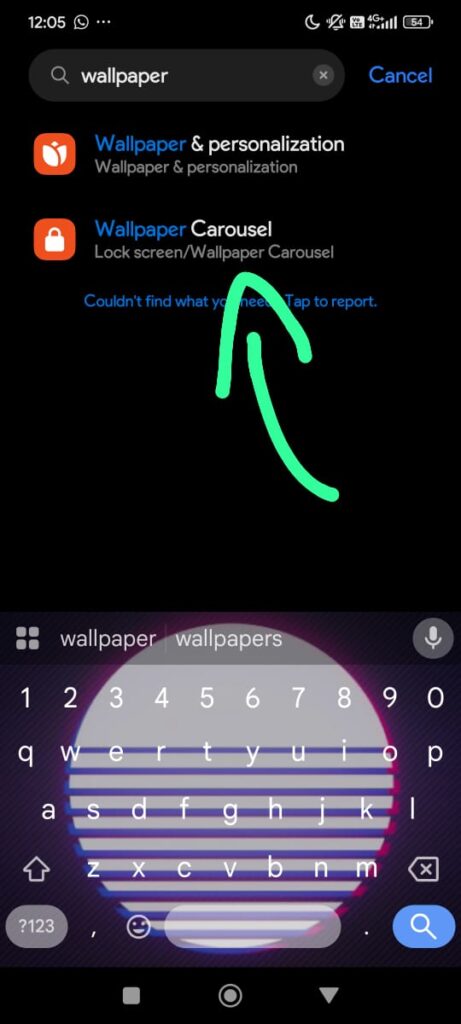
As highlighted, select the wallpaper carousel.
Step 4
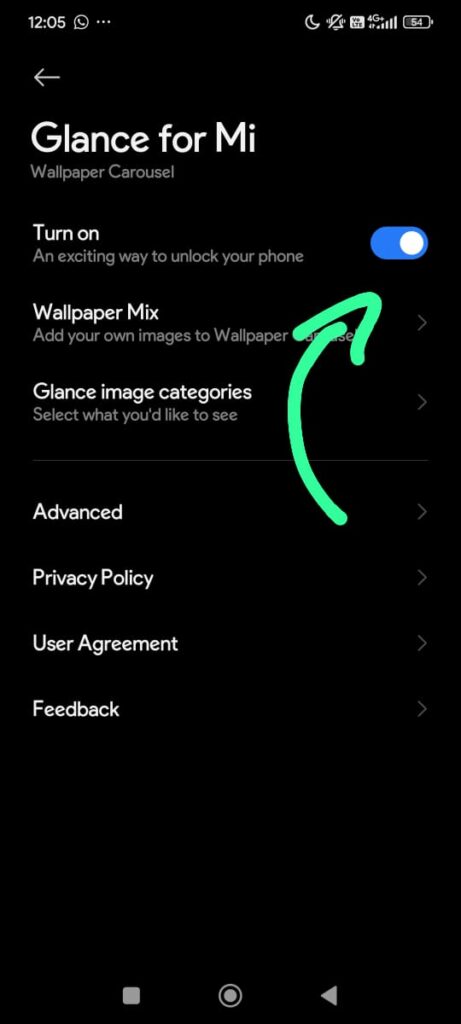
Proceed to turn off the option,
Step 5
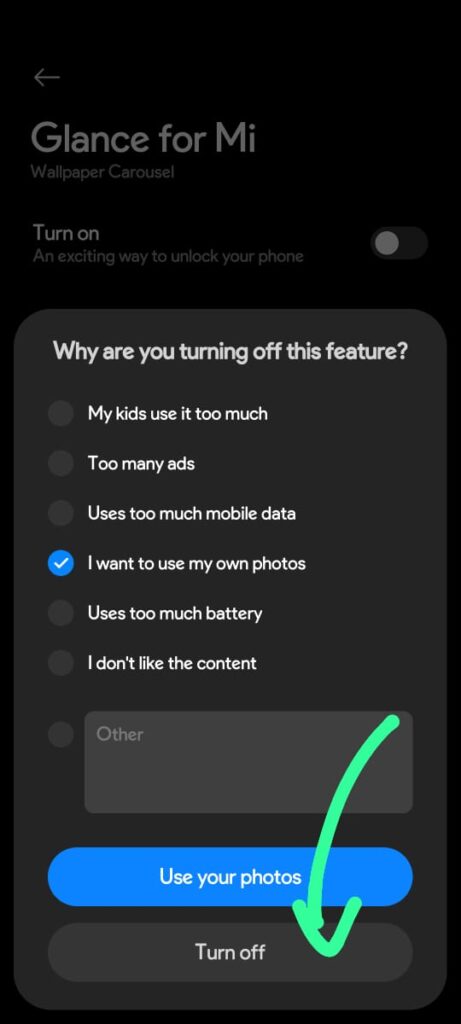
Some of these options you select here will try to convince you to keep the setting on, so use the Turn Off option and we are good to go!
Now you can finally keep your own lockscreen wallpaper without getting it replaced with another picture!